
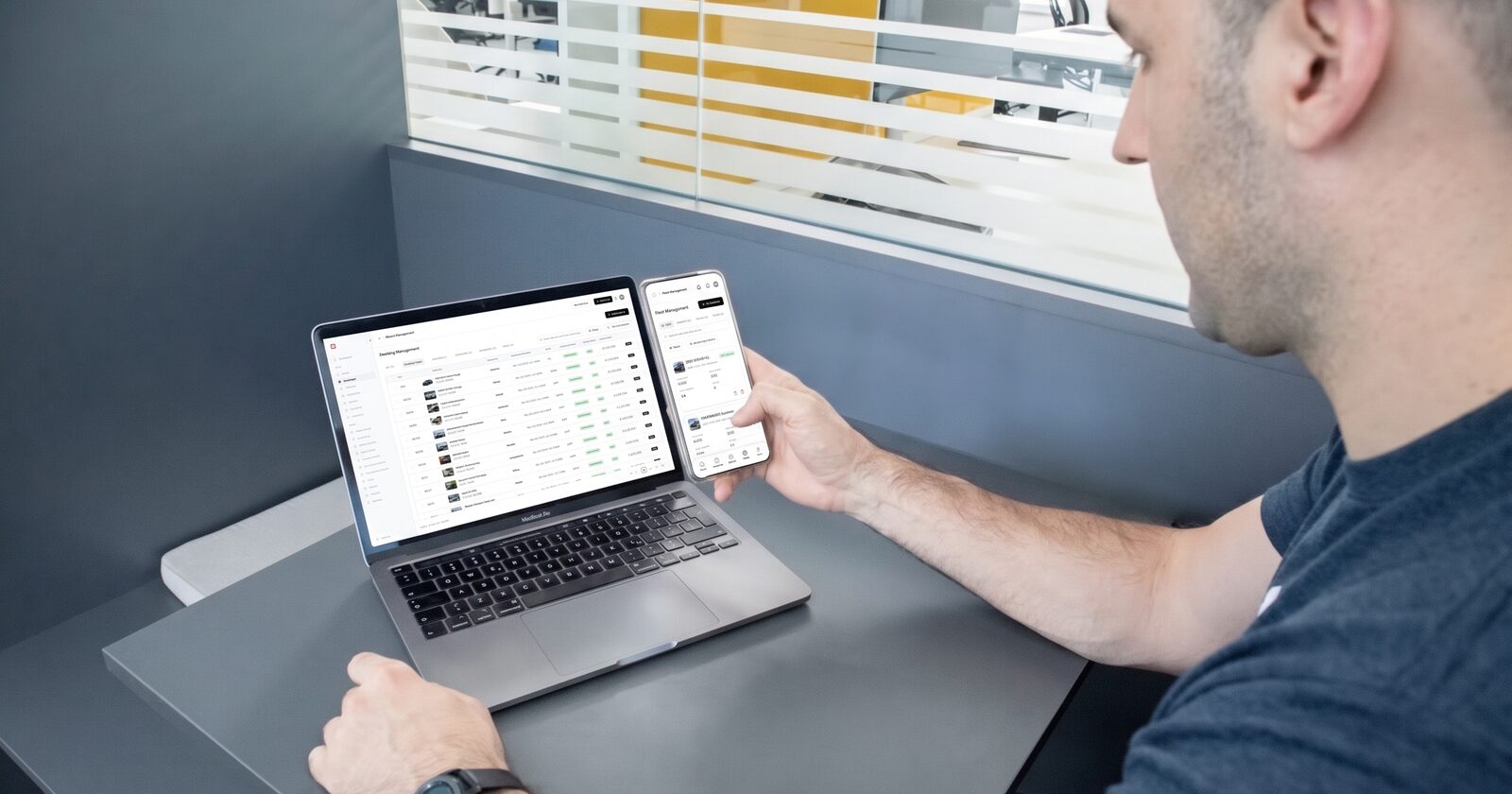
Small rental fleets under 20 vehicles need five things from software: a booking website with real-time availability, renter verification, integrated payments and deposits, automated renter communications, and one dashboard showing every vehicle's status. Everything else can wait until you are past 20 cars or a second location.
Most software built for this market is sold to you as though you are running a regional chain. You are not. You are running eight cars, answering messages on your phone, and working out whether a platform is going to pay for itself.
Quick summary:
- Spreadsheets break around 5 to 6 vehicles, or sooner if you take bookings on more than one channel.
- Five features matter at this size. Six can wait.
- Small-fleet pricing runs from free to $150 a month. Setup fees are either nothing or $550.
- At 10 vehicles, manual booking admin costs roughly 5 to 6 hours a week. The math is below.
- Check what is bundled. A cheap plan that excludes your website and SMS is not cheap.
Is rental software worth it for a small fleet?
It depends on how many hours a week you spend on booking admin, not on how many vehicles you own.
A 10-vehicle fleet at 60% utilization produces roughly 2,190 rented days a year. At an average four-day rental, that is about 548 bookings, or 10 to 11 a week.
Now count the manual touches on one booking:
| Task | Minutes |
|---|---|
| Check availability and quote | 5 |
| Collect renter details | 5 |
| Request and review license photo | 5 |
| Send payment link and reconcile it | 5 |
| Send and chase the rental agreement | 8 |
| Confirm and send pickup details | 3 |
| Total per booking | 31 |
Eleven bookings at 31 minutes is about 5.7 hours a week, close to 300 hours a year. That is before you handle a single cancellation, extension, or damage dispute.
Change the inputs to match your fleet. If you take bookings across a website, a marketplace and the phone, the number climbs, because each channel needs reconciling against the others.
When should you replace spreadsheets?
When you hit any two of these five. Fleet size matters less than how many booking channels you run.
- A double booking, or a near miss. It means two sources of truth existed at once, and it will happen again.
- You block dates in more than one place. That lag is where conflicts live.
- Verification by screenshot. A photo of a license in a text thread is a photo, not verification.
- You cannot name your best and worst vehicle. If you cannot say which car returned the most revenue against its costs last quarter, you are buying your next vehicle blind.
- Booking admin passes five hours a week. Past that you have a part-time job you did not apply for.
It usually breaks at 5 to 6 vehicles on a single channel, and at three or four across multiple channels.
What does a small fleet actually need?
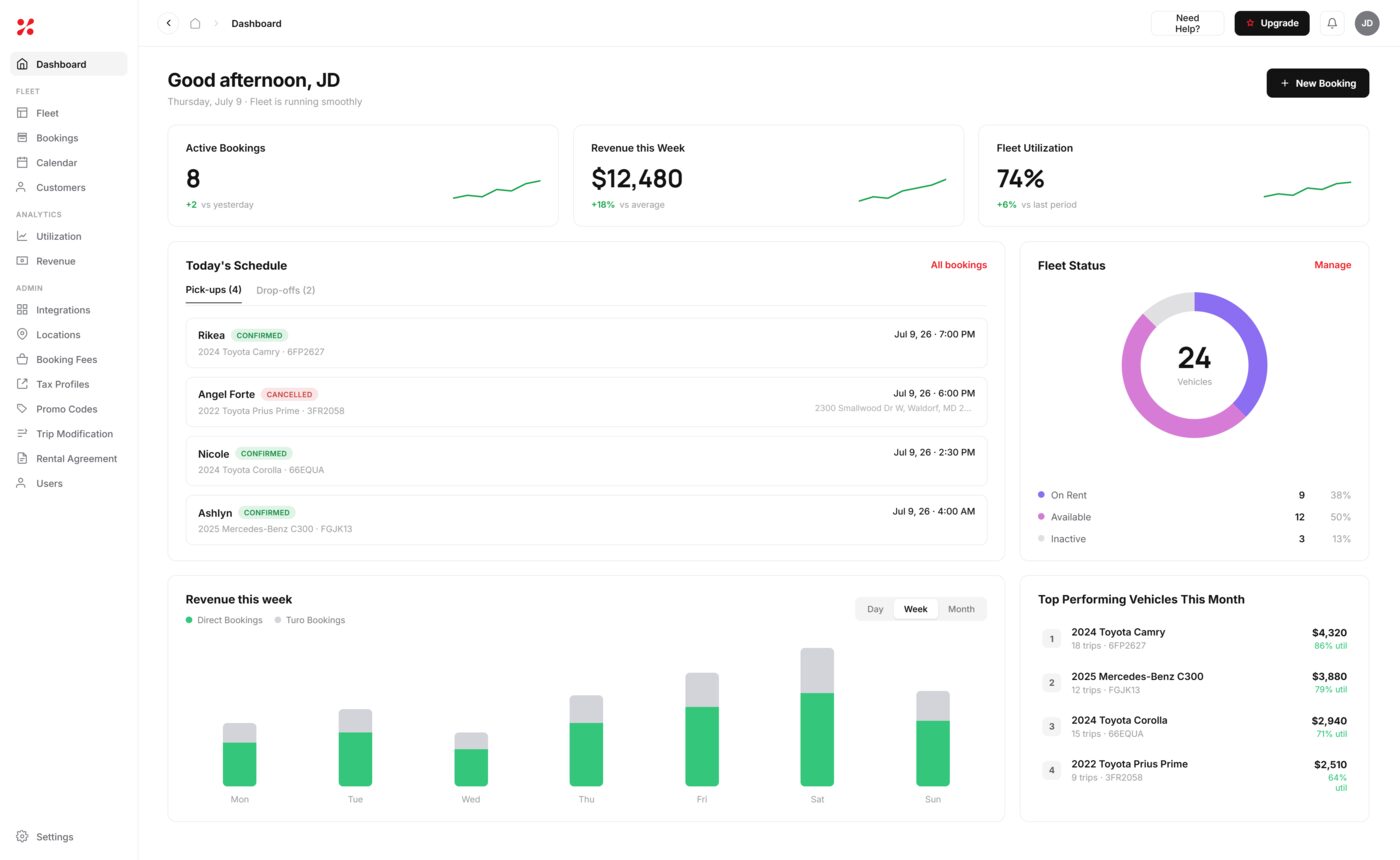
- A booking website with real-time availability. A renter books at 11 pm and the vehicle blocks instantly, everywhere. This is the difference between a business and a job. Check whether the website is included or an upgrade, because branding and a custom domain are a paid tier on several platforms.
- Renter verification before pickup. License and insurance checked while the booking is still pending, not at handover, when declining means a confrontation in your lot. Criminal background screening is worth having on higher-value vehicles.
- Integrated payments and deposits. Payment collected at booking, deposit held on card, both linked to the reservation.
- Automated SMS and email. Confirmation, verification reminder, pickup details, return reminder. This is what removes you from the conversation and it is frequently missing from cheaper plans.
- One dashboard showing every vehicle. Available, rented, in maintenance, overdue. One view, no cross-referencing.
If a platform is missing one of these five, that gap becomes your manual process.
What can a small fleet safely skip?
- Dynamic pricing. Needs booking volume to learn from. At 10 bookings a week it produces noise.
- Telematics and GPS. Genuinely useful for large fleets and theft recovery. Under 20 vehicles the hardware and subscription usually cost more than they return.
- Demand forecasting. Needs at least two years of history.
- Custom dashboard builders. Five reports used weekly beat thirty that go unopened.
- Maintenance scheduling. Starts mattering around 15 to 20 vehicles. Below that you remember.
- Accounting integration. Useful, but at 8 cars a monthly export covers it.
None of this means never. It means do not pay for them in year one, and do not let their absence rule out a platform that handles the five essentials properly.
What should a small operator expect to pay?
Between nothing and $150 a month. Setup fees are either zero or $550, and that fee often matters more than the monthly rate at this size.
Year-one cost at 10 vehicles:
| Platform | Monthly | Setup fee | Year one |
|---|---|---|---|
| SoftCar | Free under 20 cars | None | $0 |
| Fleetwire | $89 (15-vehicle tier) | None | $1,068 |
| FleetHQ | $119 (15-vehicle tier) | None | $1,428 |
| 1Now | $150 | None | $1,800 |
| HQ Rental Software | $120 | $550 | $1,990 |
HQ Rental Software's monthly rate is competitive, but the $550 onboarding fee makes it the most expensive option in this set for the first year.
The 5 best options for small rental fleets
| Platform | Best for | Starting price | Setup fee | Free trial |
|---|---|---|---|---|
| FleetHQ | Operators wanting website, comms and verification included | $119/mo (15 vehicles) | None | 7 days, no card |
| SoftCar | Rideshare, private and exotic fleets | $5/car/mo, free under 20 | None | 7 days |
| Fleetwire | Multi-marketplace hosts | $34/mo (5 vehicles) | None | 14 days, no card |
| 1Now | Operators wanting a guided launch | $150/mo (10 cars) | None | Demo |
| HQ Rental Software | Deep configuration, multi-vertical | $120/mo (10 vehicles) | $550 | 7 days |
SoftCar is free under 20 vehicles and carries two insurance providers with per-day rates published by state. It does not sync Turo calendars and does not offer background checks. If price is the binding constraint and you rent direct only, start here.
Fleetwire is $34 a month for five vehicles and $89 for fifteen, with a 14-day trial that does not ask for a card. It syncs both Turo and Getaround and covers RVs, powersports and trailers. Note that custom domain and white-label branding sit on higher plans.
FleetHQ is $149 a month up to 15 vehicles with no setup fee. The website is fully customized and included, not an upgrade, and the plan covers unlimited locations, automated SMS and email, criminal background checks through Checkr, on-rental insurance through Bonzah, and Turo calendar sync.
1Now starts at $150 a month for up to 10 cars with onboarding included and most operators live within 48 hours. The trade is speed and hand-holding.
HQ Rental Software has the largest verified review base in this market at 338 reviews averaging 4.9, integrates with QuickBooks and Xero, and supports multiple languages. Reviewers consistently note that initial configuration is difficult. The $550 setup fee applies.
How do you manage bookings efficiently with a small team?
Move the work from you to the system. Define your rules once and let bookings complete without a conversation.
Set these before you go live:
- Buffer time between rentals for cleaning and inspection
- Minimum notice, so nobody reserves a car for 40 minutes from now
- Minimum and maximum rental duration per vehicle
- Verification requirements, including whether a failed check blocks the booking
- Deposit amount by vehicle class
- Trip modification policy: whether renters can extend or change dates themselves, and within what window
Buffer time is the one operators skip. Without it, a booking can end at 11 am and the next begin at 11 am, which the calendar will accept and your cleaner will not.
Trip modification settings are the second. Letting a renter extend a rental themselves, inside rules you set, removes one of the most common interruptions in a small operation.
Then let exceptions come to you. A new customer on your most expensive vehicle, a rental longer than two weeks, or a borderline verification result should flag for review.
Can you add vehicles as you grow?
Yes, on every platform here. What differs is what it costs. Per-car pricing rises smoothly; tiered pricing jumps at the ceiling, so check where your next tier sits before you commit.
Adding a vehicle means entering its details, rates and availability. No hardware, no installation, no technician. Everything here is cloud-based and runs in a browser.
Importing your spreadsheet works on most platforms for vehicles and customers. Clean the file first: consistent date formats, one vehicle per row, no merged cells. Import vehicles and customers, then run new bookings live rather than backfilling history.
The question worth asking any vendor before signing: what happens at the tier above this one, and what does the migration involve?
Frequently asked questions
Is rental software suitable for a 3-car fleet? Yes, and several platforms price for it. At three cars the question is whether you take bookings on more than one channel, since that is what makes manual tracking fail rather than fleet size alone.
Does the plan include a booking website? It varies. Some platforms include a storefront but charge for your own domain and branding on higher tiers. FleetHQ includes a fully customized branded website at no extra cost.
Can the software text and email renters automatically? Not all do. Automated SMS and email for confirmations, reminders and pickup details is included with FleetHQ and is worth checking for elsewhere.
Can existing data be imported from spreadsheets? Yes, on most platforms, for vehicles and customers. Clean the file first with consistent dates and one vehicle per row.
Does rental software require additional hardware? No. Every platform in this guide is cloud-based and runs in a browser on the computer or phone you already have.
Can I add vehicles and locations as I grow? Vehicles, yes, on all of them. Locations vary considerably. FleetHQ includes unlimited locations; several platforms in this set do not offer multi-location at all.
How quickly can a fleet be added to the software? Adding vehicles takes minutes each. Full setup including rates, rules, payments and verification varies by platform, from about 48 hours to several weeks.
The bottom line
At under 20 vehicles, five features matter and six can wait. Price the options on year-one total cost including setup fees and anything you would otherwise buy separately, such as a website or a messaging provider. Then run the admin hours calculation against your own booking volume.
Whatever you shortlist, run a real booking end to end in a trial first. Start your free trial or book a demo.